Snippets: How to Create Viral Meme Videos From a Single Image
 Photo by Tima Miroshnichenko on Pexels.com
A single image can become the seed of a viral meme video when paired with the right concept, motion, and timing. Creators who understand this principle turn ordinary photos—selfies, product shots, screenshots—into clips that earn millions of impressions across short-form platforms. The skill isn’t in owning fancy gear; it’s in knowing how to extend one frame into a moving story.
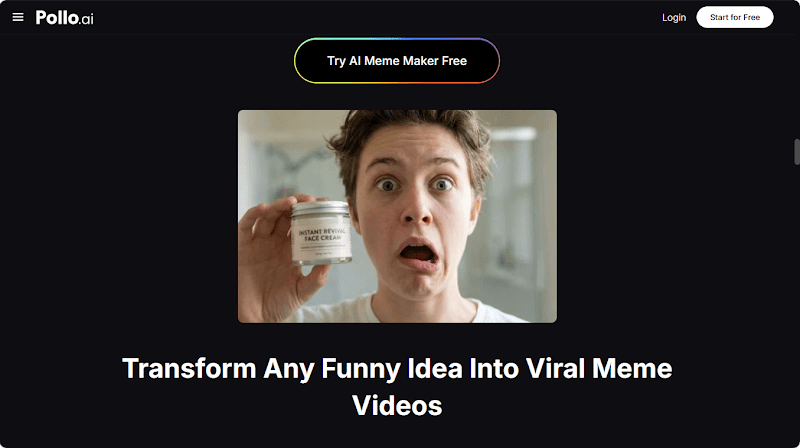
This guide breaks down the process step by step, designed for beginners who want to publish their first viral-style meme today. No editing background, no expensive software, no complicated workflows—just a clear path from image to upload.
What Are Meme Videos and Why a Single Image Is Enough
Meme videos transform static moments into dynamic narratives through animation, captions, and sound. When you start with a strong image, you already have the visual hook viewers need to stop scrolling. The remaining work—adding motion, dialogue, or surreal effects — is exactly what AI excels at.
A single photo can spawn dozens of meme variations depending on the caption, soundtrack, or visual style you layer on top. That versatility makes image-based memes an efficient content engine for solo creators.
The Best Way to Turn an Image Into a Viral Clip
For speed and creative range, an AI Video Meme Maker is the ideal companion. Pollo AI’s Photo Video Maker lets you upload a single image and instantly generate viral-ready clips formatted for TikTok, Instagram Reels, and YouTube Shorts. The tool supports trending visual styles like 2D, 3D, cyberpunk, and anime, so one source image can produce wildly different outputs.
The AI Video Meme Maker also keeps pace with the latest format trends, which is critical because meme aesthetics evolve weekly. Using Pollo AI’s Photo Video Maker means you spend more time on creative ideas and less time chasing technical fixes.
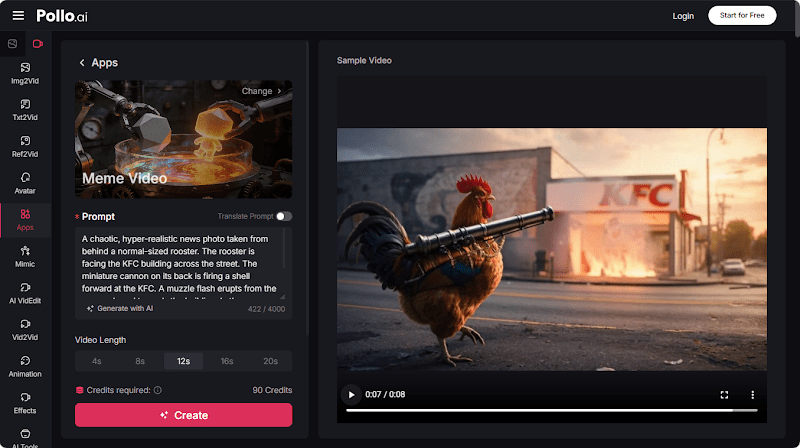
Step 1: Select a High-Impact Source Image
Choose a photo with strong facial expression, dramatic lighting, or an unusual composition. Memorable images carry the meme; bland source material limits how far the final video can travel. Crop tightly to emphasize the subject before uploading.
Step 2: Pick a Visual Style That Matches Current Trends
Browse the available aesthetics and match your style choice to what’s currently performing on your target platform. Anime treatments work well for Gen Z audiences, while cyberpunk visuals attract gaming and tech communities. Trend-aware styling boosts initial reach.
Step 3: Generate the Animated Clip
Let the AI animate the image, adding movement, scene transitions, and atmospheric effects. Review the output and regenerate with adjusted prompts if the first version misses the mark. Most beginners land a usable clip within two or three iterations.
Step 4: Add Captions, Sound, and Cultural Hooks
Layer trending audio over your animated image to ride existing momentum on the platform. Add captions in bold fonts, positioned in safe zones away from platform UI elements. Reference current cultural moments—shows, songs, or news cycles—to deepen viewer resonance.
Step 5: Export, Publish, and Track Performance
Export the clip in 9:16 vertical format and publish during peak engagement hours. Watch the first hour of metrics carefully—early performance often predicts long-term reach. Repost top winners as Stories and Reels to extend their algorithmic lifespan.
Why Image-to-Meme Workflows Drive Engagement
Single-image memes punch above their weight because they’re easy to consume and easier to share. Viewers don’t need context or a long setup—the visual delivers immediate impact. That low cognitive load translates into higher save rates, longer watch times, and stronger algorithmic distribution.
For brands and personal creators, this format also lets you turn existing photo libraries into fresh video content without scheduling new shoots. Old product shots, behind-the-scenes snaps, or even meme templates from years past can find new life as animated clips.
Cross-Posting Strategy for Maximum Reach
Different platforms reward different content shapes. Facebook in particular favors clips with clear emotional payoffs and slightly longer durations than TikTok-native memes. With a Facebook Video Maker built into Pollo AI’s Photo Video Maker, you can adapt your meme content for Facebook feeds without rebuilding the project from scratch.
The tool transforms product photos into trending Reels and ads, with mobile-friendly framing and integrated AI presenters that align with current Facebook trends.Using the Facebook Video Maker function alongside short-form exports lets one creative concept reach audiences across every major social network. This multi-platform approach maximizes the return on each meme idea you produce.
Benefits of Using AI for Image-Based Memes
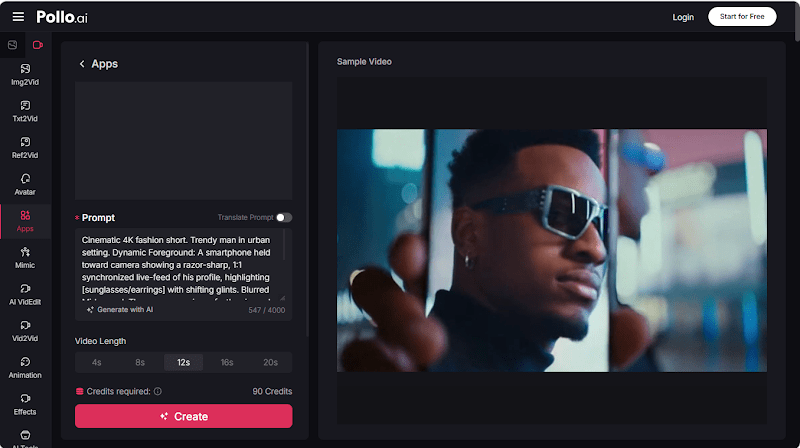
AI dramatically compresses the production timeline. What used to require keyframe animation, motion tracking, and color grading now happens automatically. Beginners gain access to professional-grade output without the multi-year learning curve.
Tips for Making Memes That Spread
Lead with the strongest visual moment in the first frame. Resist the urge to overexplain; meme humor depends on viewer recognition. Test multiple captions for the same animation to discover which framing resonates best. Consistency compounds over time, so commit to publishing several clips per week.
Study the comment section of viral memes in your niche. The phrases viewers repeat and the jokes they extend often reveal the next trend before it goes mainstream.
Conclusion
Turning a single image into a viral meme video is now within reach for anyone willing to experiment. AI handles the heavy lift, leaving you free to focus on creative concepts and cultural timing. Start with one strong photo, generate a few variations, and publish today—the fastest learning happens through real audience feedback.
FAQs
- Can any image become a meme video?
Almost any photo can work, but images with clear subjects, strong expressions, or unusual compositions perform best.
- How often should I post meme videos?
Aim for at least three to five clips per week to build algorithmic momentum and accelerate audience growth.
- What styles work best for viral reach?
Trending aesthetics like anime, cyberpunk, and stylized 3D currently dominate short-form platforms, though preferences shift quickly.


Rant here!